Your map, always ready
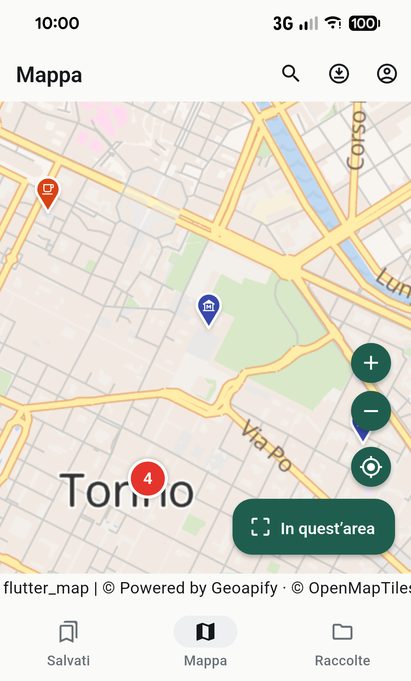
Every restaurant, trail or venue you save becomes a pin. Filter by category or collection, type a place and the map goes there, see what is near you. A collection's map shows only the places from that trip, split by section.


 Ritrovo
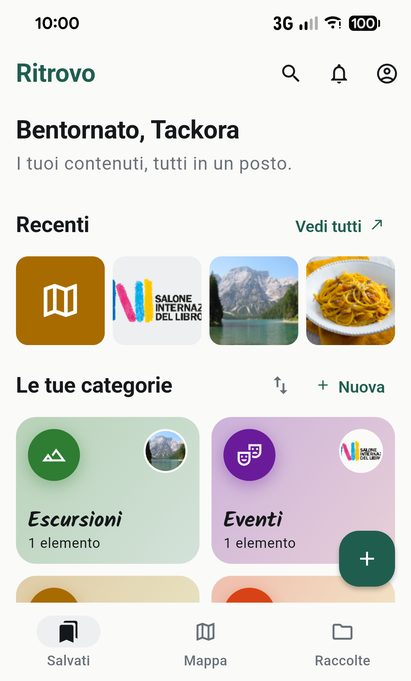
The restaurant you saw in a reel, the trail recommended on YouTube, the recipe from a blog: share them with Ritrovo and the AI works out what they are. Everything ends up in order, in your categories and in collections you can share. Every place goes on your map and, once you have enough of them in one area, the AI turns them into a trip.
On your computer and your phone, with your Tackora account: the same one as Trama (Google or email and password). The Android app, for saving on the fly from the Share button even offline, is on Google Play. In Italian, English, French and German.
How it works
From any app, tap Share and pick Ritrovo. You stay where you were: saving takes a moment, even offline.
Ritrovo fetches the title and preview; the AI recognises the place, recipe, event or route, turns it into a clear card and suggests a category and tags. You confirm or ignore.
Open a category, filter by tag, search for a word or open the map: see what you saved near you or in the city you are heading to.
New · Trips
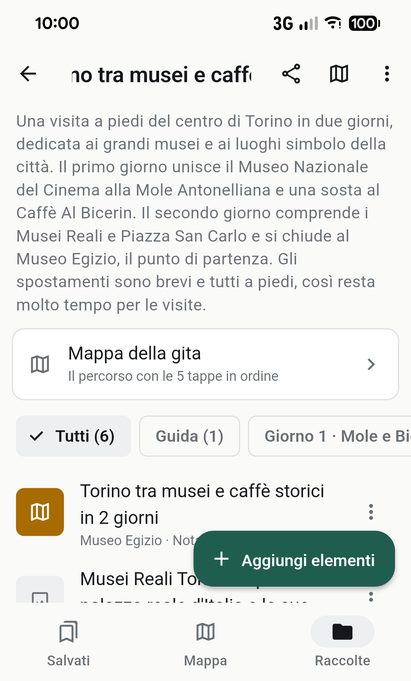
Once you have saved at least five places in one area, the bell at the top lights up. Choose destination, starting point, means of transport and days, or let the AI decide: in a few minutes the trip is ready in a collection, with a guide and a map.
Driving and walking times on roads and trails, elevation gain for every leg, numbered trails and the best car park for reaching mountain huts and bivouacs.
The shortest order of stops is worked out on real routes: no going back and forth. A loop or ending somewhere else, you decide.
Car, camper, motorbike, bike, on foot or by train; mountaineering, trekking, city, food and wine, road or seaside. Difficulty on the CAI scale for hiking and the French scale for mountaineering and climbing.
A notification tells you when the trip is ready. On the map you see the start, the numbered stops and the chequered flag at the finish.
The app
Features
Every restaurant, trail or venue you save becomes a pin. Filter by category or collection, type a place and the map goes there, see what is near you. A collection's map shows only the places from that trip, split by section.
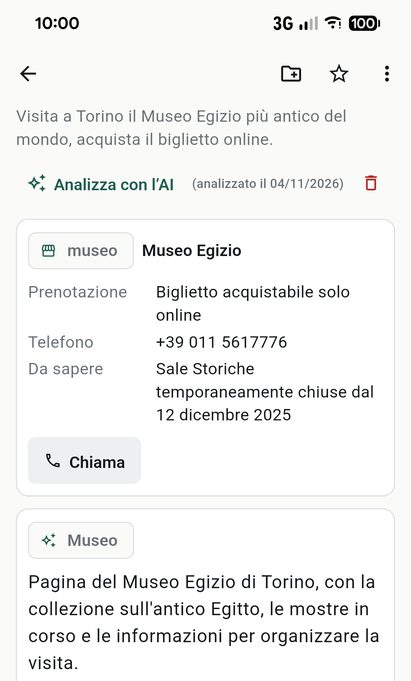
The AI reads the link and pulls out the details you need, with “In practice” at the bottom.
"Weekend in Turin", "Dinners with friends", "Gifts": create a collection, split it into sections (Where to stay, Where to eat, What to see) and invite anyone you like with a link, by email, on WhatsApp or from your contacts. People who join see the items, never your notes, and can add their own if you allow it.
Opening hours, closing day, prices, booking and “Call” with one tap. Rich tags for filtering.
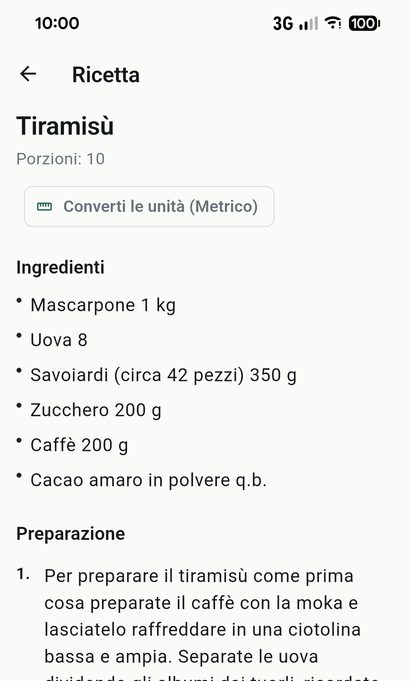
A link in another language is translated with AI; for recipes it converts the units of measure too.
When, where and how much it costs. Add it to your calendar and, if you like, get a reminder the day before.
Type "cafe" and it finds "Café". It searches titles, notes, tags, places and the AI cards.
From the web version you can import your Google My Maps: each one becomes a collection, with its pins.
On your phone you save on the fly from the Share button, even offline: when the connection is back everything syncs by itself. On your computer you pick everything up in the web version and save the page you are looking at with the Ritrovo extension for Chrome and Edge or with the bookmark button.
Free
Ritrovo is free during the launch period, with every feature available. In the future we may introduce paid plans, based on how the app is used: we will announce them in advance, and people using it from now on will get dedicated terms.
Privacy
FAQ
Yes: during the launch period Ritrovo is free, with every feature, AI and trips included. To keep usage fair there is a daily limit on AI requests and a maximum number of trips per month. In the future we may introduce paid plans: we will announce them in advance, and people using Ritrovo from now on will get dedicated terms.
The AI uses only the places you saved near the destination (at least 5) and real routes: driving and walking times on roads and trails, elevation gain and difficulty from OpenStreetMap. A trip is a suggestion to check: in the mountains always check the weather, conditions and route.
No. From these apps it saves the link and the text you share, and the AI works on that text and on the linked page. Videos and photos stay on the original platform.
No. Saving is instant even offline; previews and syncing follow when the connection is back.
On Android phones and tablets, with the app from Google Play, and on computers (as well as iPhone and iPad) with the web version.
Only you. In a shared collection others see the items, never the notes.
Read the frequently asked questions (also in the app: Settings → Frequently asked questions) or write to support.ritrovo@tackora.it.
All frequently asked questions → · The guide with screenshots →